Complete Guide to Meal Plans for Common Food Restrictions

Choosing prepared food becomes more complicated when there is something you do not eat. The reason may be personal preference, intolerance, a dietary pattern, or an instruction from a doctor. In every case, the practical question is similar: how does a meal subscription know what should and should not reach your plate?
With Mealzo, two separate mechanisms matter. The first is the meal plan you choose. A plan defines the broad dietary framework used when your menu is assembled. The second is your allergen declaration, which applies additional customer-specific exclusions from nine supported allergen groups.
Those mechanisms overlap in some cases, but they are not interchangeable. Someone following a Gluten Free plan, for example, is choosing a plan built around that restriction. Someone on another plan who declares wheat/gluten is asking the system to filter dishes containing that declared allergen for that individual customer.
This guide explains how meal plans for food restrictions work, how to combine a suitable plan with allergen declarations, where the limits are, and what to check before ordering prepared meals in Bangkok.

1. Start by Separating the Plan from the Allergen Declaration
The most useful distinction in the entire process is simple: a plan describes the type of menu you want; an allergen declaration tells the system what must be filtered out for you personally.
Mealzo has 12 meal plans:
- Balanced
- Weight Loss
- High Protein
- Vegetarian
- Vegan
- Keto
- Low-Carb
- Gluten Free
- Easy-to-Digest
- Pescatarian
- No Fish & Seafood
- Dairy & Egg Free
Some of these plans are directly connected with food restrictions. Gluten Free, No Fish & Seafood, Dairy & Egg Free, Vegetarian and Vegan are obvious examples. Others, such as Balanced, Weight Loss, High Protein, Keto and Low-Carb, describe the overall eating pattern rather than a specific allergen exclusion.
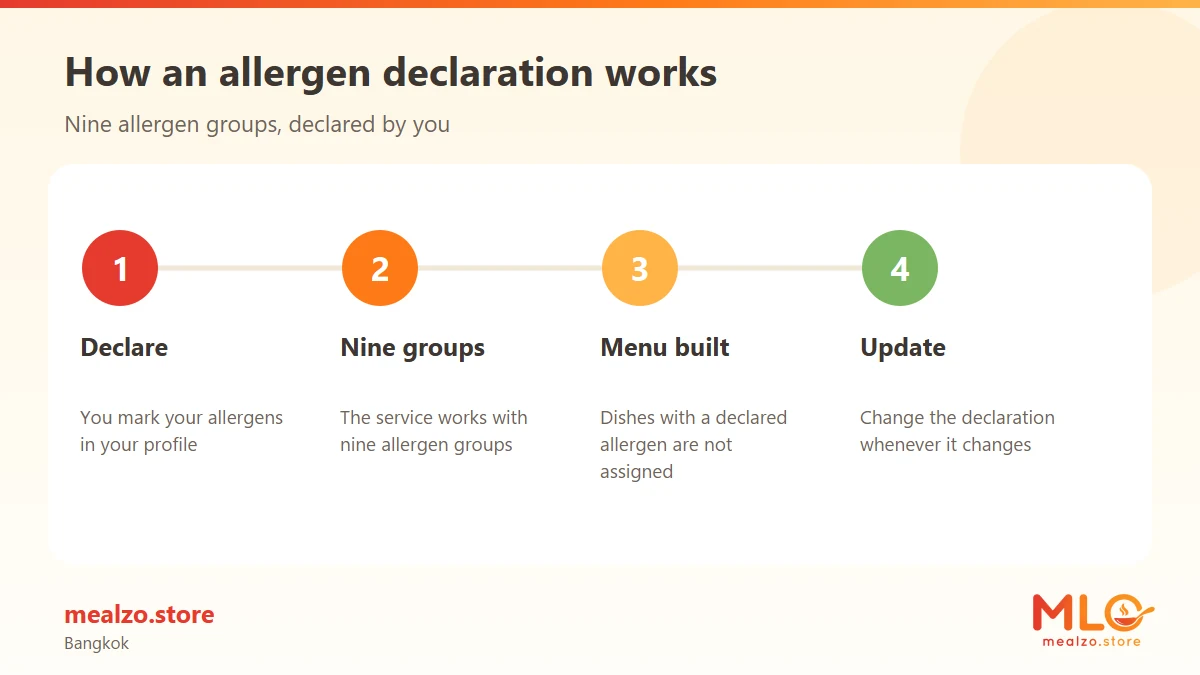
The allergen declaration is a separate layer. A customer can declare any of nine groups: peanuts, tree nuts, shellfish, fish, milk, egg, soy, wheat/gluten and sesame. Dishes containing a declared allergen are not assigned to that customer.
That means you should not choose a plan merely because you want one ingredient removed if another plan better matches the way you want to eat overall. In many situations, the practical solution is to choose the most appropriate plan first and then add the allergen declaration.
Key takeaway: Choose the plan for your overall eating pattern, then use allergen declarations for the supported ingredients that must be filtered from your individual menu.
2. What the 12 Plans Mean When You Have a Restriction
Not every food restriction requires a dedicated plan. Sometimes a dedicated plan is the clearest starting point. Sometimes another plan plus an allergen declaration is more appropriate.
The table below shows the broad relationship.
| Restriction or preference | Most relevant plan starting point | What an allergen declaration can add |
|---|---|---|
| Avoiding gluten | Gluten Free | Declaring wheat/gluten adds an individual dish-level filter |
| Avoiding fish and seafood | No Fish & Seafood | Fish and shellfish can be declared separately |
| Avoiding dairy and eggs | Dairy & Egg Free | Milk and egg can also be declared individually |
| Avoiding meat but eating other animal foods | Vegetarian | Supported allergens can still be filtered separately |
| Avoiding animal-derived foods | Vegan | Supported allergens such as soy, sesame or nuts can still be declared |
| Eating fish but not following a meat-based pattern | Pescatarian | Other supported allergens can be declared individually |
| Looking for gentler meals rather than one named allergen exclusion | Easy-to-Digest | Any supported allergens still need to be declared separately |
| Following a carbohydrate-restricted plan | Keto or Low-Carb | Supported allergens are handled separately from the carbohydrate-focused plan |
| Wanting a general menu with a personal ingredient restriction | Balanced | Declare the relevant supported allergen |
| Wanting a calorie-focused plan with a restriction | Weight Loss | Declare the relevant supported allergen |
| Wanting a protein-focused plan with a restriction | High Protein | Declare the relevant supported allergen |
This distinction also prevents a common mistake: treating an allergen declaration as though it changes the plan itself. It does not turn Balanced into Gluten Free, Vegetarian into Vegan, or High Protein into Dairy & Egg Free. The plan remains the plan you selected; the declaration filters dishes within the system for that customer.
For a closer look at how one of the most commonly misunderstood restrictions is handled, the guide to choosing a gluten-free meal plan explains what the Gluten Free label should mean when comparing prepared meal options.
3. When a Dedicated Restriction Plan Is the Clearest Choice
A dedicated plan is usually the easiest starting point when its basic purpose already matches the way you intend to eat.
If you do not want fish or seafood as part of your normal menu, the No Fish & Seafood plan expresses that broad preference at plan level. You can then use declarations for fish or shellfish where those individual filters are also relevant to you. The separate article on planning meals without fish or seafood looks more closely at how that eating pattern can be organised without making every meal feel repetitive.
The same logic applies to Dairy & Egg Free. Choosing that plan establishes the plan-level direction, while declaring milk or egg provides the corresponding individual filters from Mealzo's supported allergen list. For readers considering that route, dairy- and egg-free meal planning covers protein, calcium sources and menu variety in more detail.
Vegetarian and Vegan also operate primarily as dietary patterns rather than as substitutes for allergen declarations. A vegan customer who also needs peanuts filtered, for instance, should not assume that choosing Vegan automatically addresses peanuts. Peanuts are a separate allergen group and need their own declaration.
This is why it helps to ask two questions rather than one:
- Which plan best describes the menu pattern I want across the package?
- Which of the nine supported allergen groups also need to be filtered for me?
Answering both is more precise than trying to force every requirement into the plan name.
4. When a General Plan Plus Allergen Filtering Makes More Sense
Suppose the broad structure you want is Balanced or High Protein, but there is one supported ingredient group you do not eat. You may not need to abandon that plan simply because it is not named after your restriction.
Instead, the plan establishes the menu framework and the allergen declaration works on top of it. A Balanced customer can declare sesame. A High Protein customer can declare milk. A Low-Carb customer can declare soy. The same principle applies across the system.
The important limitation is that the declaration covers only Mealzo's nine listed allergen groups:
| Supported declaration | How it is treated by the system |
|---|---|
| Peanuts | Dishes containing declared peanuts are not assigned |
| Tree nuts | Dishes containing declared tree nuts are not assigned |
| Shellfish | Dishes containing declared shellfish are not assigned |
| Fish | Dishes containing declared fish are not assigned |
| Milk | Dishes containing declared milk are not assigned |
| Egg | Dishes containing declared egg are not assigned |
| Soy | Dishes containing declared soy are not assigned |
| Wheat/gluten | Dishes containing declared wheat/gluten are not assigned |
| Sesame | Dishes containing declared sesame are not assigned |
If the food you avoid is not one of those nine groups, do not assume that the allergen declaration covers it. The declared-allergen mechanism is specific rather than open-ended.
People comparing prepared food services often benefit from learning how to read ingredient and allergen information before choosing a plan, because plan labels alone do not answer every ingredient-level question.
Key takeaway: An allergen declaration adds a personal filter to your chosen plan; it does not create a new custom diet plan.
5. How the Allergen Filter Works in Practice
The sequence is easier to understand when viewed as a workflow.
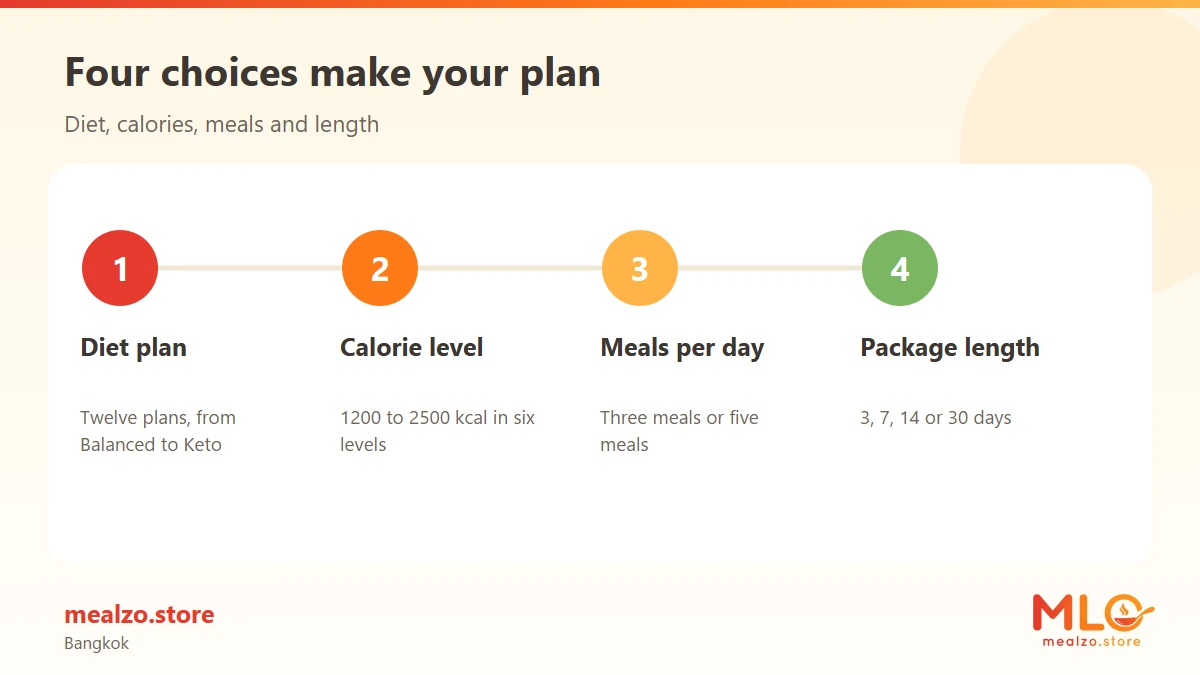
First, you choose one of the 12 plans. Then you choose your calorie level and whether you want three or five meals per day. You also select the package length. Mealzo offers packages of 3, 7, 14 or 30 days.
The menu is then assembled automatically from the plan, calorie level and meal count selected. Customers do not choose individual dishes for individual days.
If you have declared one or more of the nine supported allergen groups, dishes containing the declared allergen are not assigned to you. This filtering happens in addition to the plan choice.
For example, imagine two customers both select the Balanced plan. One declares sesame and the other does not. They have selected the same plan category, but their individual allergen settings are different. The system can therefore apply a different restriction filter even though the basic plan is the same.
Another example is a Vegetarian customer who declares peanuts and tree nuts. Vegetarian describes the plan. Peanuts and tree nuts are customer-specific declarations layered on top.
That distinction is especially relevant for groups, couples or households in which people follow broadly similar diets but have different foods they avoid.

6. What the System Does Not Do
Understanding the limits of meal plans for food restrictions is just as useful as understanding what they cover.
Mealzo does not operate as a system where you manually build every day's menu by choosing individual dishes. The package menu is assembled automatically according to the plan, calorie level and meal count you select.
The allergen declaration also should not be read as an unrestricted ingredient-removal form. Its scope is the nine defined groups. It does not mean that every possible disliked ingredient, personal preference or food category can be entered as a custom exclusion.
Most importantly, an allergen declaration is not a guarantee against trace exposure. Mealzo uses a shared kitchen in Bang Na, and trace cross-contact is not eliminated. The service therefore should not be treated as a safeguard for someone who requires strict protection from a severe allergy.
That wording matters. A system can filter dishes that are recorded as containing a declared allergen without claiming that the kitchen environment is free from that ingredient.
There is also no need to turn every food preference into an allergen declaration. If the restriction is already the defining principle of a suitable plan, the plan may do most of the structural work. The declaration then remains available for the supported allergen groups that need an additional individual filter.
7. Combining More Than One Restriction
Real eating patterns are rarely limited to one label. Someone may choose Vegetarian and also avoid milk. Another person may choose No Fish & Seafood and also declare peanuts. A Vegan customer may additionally need sesame or soy filtered.
The cleanest way to handle combinations is to work from broad to specific.
- Choose the plan that best describes the overall menu pattern.
- Add every relevant allergen declaration from the nine supported groups.
- Do not assume that the plan automatically covers unrelated allergen groups.
- Do not assume that an allergen declaration changes the meaning of the plan.
Consider a Dairy & Egg Free customer who also avoids tree nuts. The plan handles the overall dairy-and-egg-free direction. Tree nuts are separate, so they should be declared if that filter is required.
Likewise, a Gluten Free customer who also avoids shellfish has two distinct requirements. Gluten Free is the chosen plan; shellfish is an additional declaration.
The model is therefore not "pick the one label that describes everything." It is closer to choosing a base configuration and then applying supported personal filters.
Key takeaway: For multiple restrictions, use the closest plan as the foundation and declare each additional supported allergen separately.
8. Gluten, Digestion and Other Restrictions That Sound Similar but Are Not
Some plan names can appear related even though they serve different practical purposes. Gluten Free and Easy-to-Digest are a good example.
Gluten Free is the relevant plan when gluten avoidance is the central dietary requirement. Easy-to-Digest is a different plan category. Choosing Easy-to-Digest should not be interpreted as choosing Gluten Free, and choosing Gluten Free should not be interpreted as selecting Easy-to-Digest.
If digestion is the main reason you are comparing plans, the explanation of what makes a meal easier to digest focuses specifically on the Easy-to-Digest category without treating it as an allergen plan.
Keto and Low-Carb are another pair that can be confused with restriction plans. They describe carbohydrate-focused dietary patterns. They do not replace allergen declarations for milk, egg, nuts, soy, sesame, fish, shellfish or wheat/gluten.
Similarly, High Protein says something about the intended eating pattern, not that any particular allergen category is automatically removed.
The simplest rule is to avoid reading more into a plan name than it actually says. If the name directly expresses your overall restriction, it may be the right starting plan. If your restriction belongs to one of the nine allergen groups, use the declaration as the specific filter.
9. Calories, Meal Count and Package Length Are Separate Decisions
Food restrictions are only one part of configuring a Mealzo package. After deciding which plan fits your eating pattern, you still choose a calorie level, meal frequency and package duration.
There are six daily calorie levels:
- 1200 kcal
- 1500 kcal
- 1800 kcal
- 2000 kcal
- 2200 kcal
- 2500 kcal
You can choose three or five meals per day, and packages are available for 3, 7, 14 or 30 days.
These settings should not be confused with the restriction mechanism. Choosing five meals rather than three does not change your declared allergens. Changing from 1800 to 2000 kcal does not turn one plan into another. Package duration also does not alter the meaning of a Gluten Free, Vegan or No Fish & Seafood selection.
A useful way to think about the configuration is:
| Decision | What it controls |
|---|---|
| Meal plan | The overall dietary framework |
| Allergen declarations | Supported customer-specific ingredient filters |
| Calorie level | Daily calorie configuration |
| 3 or 5 meals | Number of meals supplied per day |
| 3, 7, 14 or 30 days | Package duration |
These settings are combined when the system assembles your package menu automatically.
If you already understand which dietary framework suits you, you can compare the available Mealzo meal plan options before choosing the calorie level, meal count and package length.
10. Prepared Meal Subscriptions Require a Different Mindset from Restaurant Ordering
At a restaurant, you may be accustomed to choosing a dish and asking whether one ingredient can be removed. A subscription menu works differently.
With Mealzo, you select the plan and configuration rather than manually choosing each meal for each date. That makes the setup stage more important. Your plan choice establishes the menu direction, while declared allergens determine which recorded dishes should not be assigned to you.
This system works best when you think in categories rather than individual meal requests.
For example:
- "I want a vegetarian package and I also avoid sesame" separates the plan from the declaration clearly.
- "I want a Balanced package but need milk filtered" also gives the system two separate pieces of information.
- "I do not eat fish or seafood" points toward the No Fish & Seafood plan as the broad framework.
- "I avoid wheat/gluten" points toward the Gluten Free plan when that is the overall dietary requirement, with wheat/gluten also available as a declaration.
This also explains why checking restriction information before the package starts matters more than trying to select around unwanted dishes day by day. Individual daily dish selection is not part of the menu model.
11. Delivery in Bangkok Does Not Change the Restriction Process
The food-restriction setup is part of your meal configuration; delivery is a separate operational step.
Mealzo prepares food from its kitchen in Bang Na and delivers across Bangkok. The available delivery windows are 06:00-09:00 in the morning or 17:00-20:00 in the evening.
Whether you choose morning or evening delivery does not change the plan or allergen declaration applied to your account. The same is true of package length or meal count. Those selections affect the package configuration, while the restriction logic remains based on the plan and the allergen groups you declare.
For someone comparing subscriptions, it is therefore useful to check the decisions in a consistent order:
- Decide what overall eating pattern you need.
- Identify whether one of the dedicated plans already matches it.
- Declare every relevant supported allergen group separately.
- Choose the calorie level.
- Choose three or five meals per day.
- Choose a 3-, 7-, 14- or 30-day package.
- Select the Bangkok delivery window that works for your routine.
Keeping those decisions separate reduces one of the biggest sources of confusion: expecting a plan name to handle every personal restriction automatically.
12. A Practical Checklist Before Choosing Your Plan
Before placing yourself into a category, describe what you actually need in plain language. "I am vegetarian and avoid peanuts" is more useful than trying to find a single plan name that somehow means both things.
Then compare that statement with the available plan and declaration options.
A simple checklist is:
- What is the main dietary pattern I want for the whole package?
- Is there a Mealzo plan specifically named for that pattern?
- Do I also avoid peanuts, tree nuts, shellfish, fish, milk, egg, soy, wheat/gluten or sesame?
- Have I treated those allergen groups as separate declarations rather than assuming the plan handles them?
- Is the food I avoid outside the nine supported allergen groups?
- Do I understand that the menu is assembled automatically rather than selected dish by dish?
- Do I understand that the kitchen is shared and trace cross-contact is not eliminated?
If any of those points changes how you interpret the plan, resolve that before focusing on calorie level or package length. The correct order is usually broad eating pattern first, supported personal filters second, then the practical package settings.
Key takeaway: The clearest setup describes your eating pattern and your supported allergen exclusions separately rather than trying to make one plan label cover both.
FAQ
Can I choose a plan and also declare allergens?
Yes. They are separate parts of the configuration. Your plan defines the broad dietary framework, while declarations for peanuts, tree nuts, shellfish, fish, milk, egg, soy, wheat/gluten or sesame add individual filters. Dishes containing a declared allergen are not assigned to you.
If I choose Gluten Free, do I still need to understand the allergen declaration?
Yes. Gluten Free is a meal plan, while wheat/gluten is also one of the supported allergen declaration groups. The two mechanisms should not be treated as identical. The plan establishes the broad menu direction; the declaration is a customer-specific filter.
Can I remove any ingredient I dislike?
The stated allergen declaration system covers nine groups: peanuts, tree nuts, shellfish, fish, milk, egg, soy, wheat/gluten and sesame. It should not be assumed to provide a custom exclusion for every ingredient or preference outside those groups.
Can I choose my meals individually to avoid foods I do not want?
No. The menu for each package is assembled automatically from your selected plan, calorie level and meal count. Customers do not pick individual dishes for individual days, which is why selecting the right plan and entering relevant supported declarations at the beginning matters.
Is Mealzo suitable as a safeguard for a severe food allergy?
No. Mealzo uses a shared kitchen, and trace cross-contact is not eliminated. The allergen declaration filters dishes containing the declared allergen from assignment, but the service should not be treated as a safeguard for a severe allergy.
What if I have more than one food restriction?
Choose the plan that best matches your overall eating pattern, then declare every additional relevant allergen from the nine supported groups. For example, a Vegetarian plan can be combined with a milk declaration, or No Fish & Seafood can be combined with a tree-nut declaration.
Find a Meal Plan That Fits
Compare Mealzo plans or use the calculator to explore meal options for your needs.